
Client app · Wirral

Documents, signatures and forms in one client app
Our client portal and mobile app, powered by Engager.app, is where you view, sign and send documents to your accountant. We're accountants in Bromborough, Wirral, working with clients across the UK.
AAT Licensed Accountant · QuickBooks Elite ProAdvisor
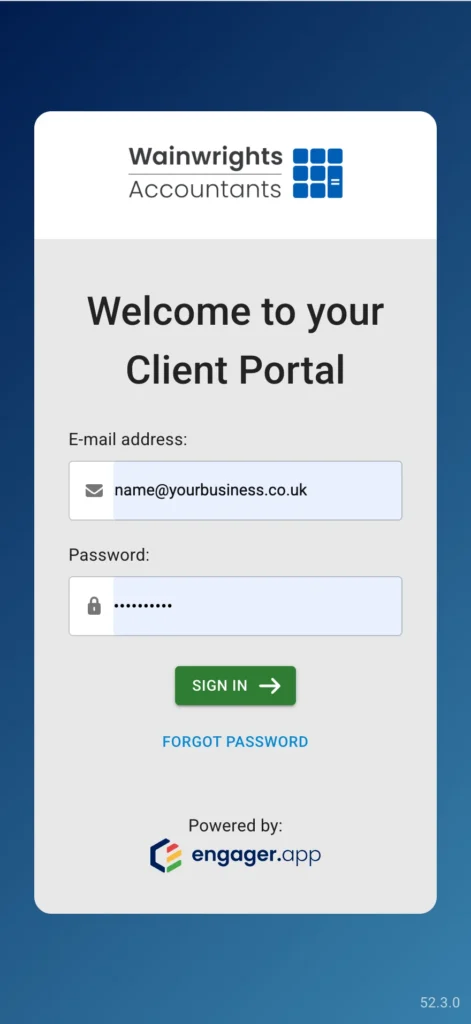
Powered by Engager.app
Your portal, in your pocket
Get the Engager.app mobile app on iPhone or Android, then link it to your portal account.
What it is
What is the Wainwrights client portal?
It's where we share documents, signing requests and forms with you, and where you send information back to us.
The portal is powered by Engager.app, the practice software founded in 2018 by our Managing Director, Andy Wainwright, and now part of TaxCalc. You log in with the details we give you when you join.
Ways to use it
In your web browser at wainwrights.portal.engager.app
On a computer, tablet or phone
In the Engager.app mobile app on iPhone and Android
With the login details we give you
Can't log in? Call us on 0151 334 5935. We manage your portal account, so we can check your access for you.
What it does
What can you do in the Wainwrights client app?
You can view and download your business and personal documents, sign documents online, fill in the forms we send you and upload files to us.
It works in your web browser and in the Engager.app mobile app on iPhone and Android, so you can deal with paperwork wherever you are.
Your documents
View and download your business and personal documents whenever you need them.
Signing requests
Open a document that's waiting for you, review it and sign it online. There's nothing to print, scan or post.
Forms
Fill in the forms we send you, so we get the information we need in one go.
Uploads
Send us files through the portal instead of email attachments.
On your phone
Use the Engager.app mobile app to upload documents and check what's needed from you.
Contact our team
Get in touch with our team from your portal account.
Kept secure
Engager.app says data shared through the portal is encrypted, and that Engager is UK-hosted with ongoing backups and is Cyber Essentials certified.
Log in
How do you log in to the client portal?
Go to wainwrights.portal.engager.app and sign in with the login details we gave you when you joined.
The portal works in any web browser on a computer, tablet or phone. If you can't log in or can't see a document, call us and we'll check your access and resend the request.
Log in to the portal
Sign in with the login details we gave you.
Log in to the portal
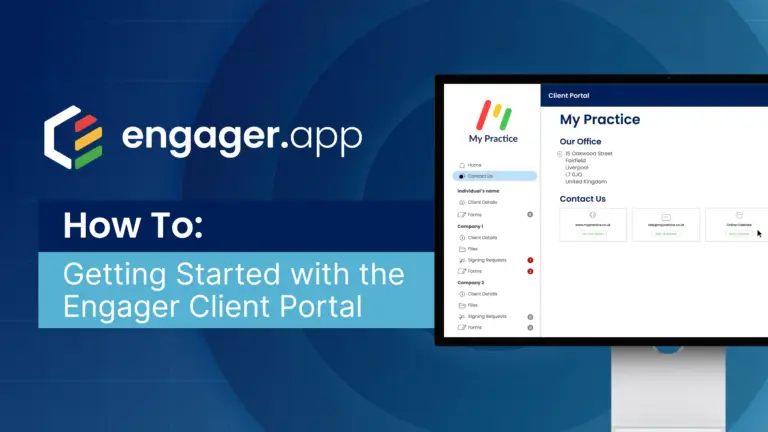
Video guide
Engager.app's step-by-step guide for clients: finding your documents, signing and contacting our team.
Watch the video guide on YouTubeSet up the mobile app
Engager.app's guide to linking the app to your portal account.
Read the app set-up guide
Need help? Call 0151 334 5935, 9am to 5:30pm, Monday to Friday. Please don't email us your password or any login code.
Mobile app
How do you set up the mobile app?
Download Engager.app from the App Store or Google Play, then link it to your portal account.
To link it, log in to the portal on a computer or tablet, open the menu by your name and choose “Link our mobile app”. Follow the steps on screen and the app is ready to use.
1
Download the app
Get Engager.app from the App Store on iPhone or Google Play on Android.
2
Log in on another device
Log in to the portal on a computer or tablet, then click the icon by your name in the top-right corner.
3
Link the app
Choose “Link our mobile app” and follow the steps on screen.

Having trouble? Call us and we'll check your portal account.
New clients
How do new clients get access to the portal?
When you join Wainwrights, we set up your portal account and give you your login details.
From then on, documents, signing requests and forms from your accountant come through the portal. If you're not a client yet, start with our quote form and we'll call you to confirm your quote.
1
Get your quote
Tell us about your business in our short online form.
2
Take a quick call
We ring you to confirm your quote and answer your questions.
3
We set up your portal
We send your login details, and your accountant takes it from there. If you're switching, we contact your previous accountant for the handover.
Reviews
What do clients say about Wainwrights?
“Very reactive, and great advice as ever.”
Mr Paul Mutch, on Trustpilot, August 2026
Read our reviews on TrustpilotQuestions
What do clients ask about the portal and app?
How do I log in to the client portal?
Go to wainwrights.portal.engager.app and sign in with the login details we gave you. The portal works in your web browser on a computer, tablet or phone.
Can I use the portal on my phone?
Yes. Download the Engager.app mobile app from the App Store or Google Play, then link it to your portal account. You can also open the portal in your phone's web browser.
How do I sign a document?
Log in and open the document that's waiting for your signature. Review it, then sign it online in the portal. There's nothing to print, scan or post.
How do I send you documents or fill in a form?
Log in to the portal and upload the file, or open the form we've sent you and complete it there. It reaches us without going through email.
Is my data secure?
Your data is encrypted and stored within the Engager.app platform. Engager.app says it is UK-hosted, with ongoing backups, and Cyber Essentials certified.
What if I can't log in or can't see a document?
Call us on 0151 334 5935 and we'll check your access and resend the request if needed. We manage your portal account, so we can sort it out for you. Please don't email us your password or any login code.
Do I need to be on the Wirral?
No. We're based in Bromborough and work with clients across the UK by phone, Zoom, WhatsApp and our client app. Our office is open 9am to 5:30pm, Monday to Friday.
Ready when you are
Not a client yet? Let's talk.
Get a quote online, or book a free call with an accountant in Bromborough.